 SealReply
How to Add Live Chat to Next.js (App Router and Pages Router)
Chat widgets tell you to paste a tag before the closing body tag. Next.js has no such file. Here is where the script actually goes, and what happens on client-side navigation.
To add live chat to Next.js, put the widget's script in your root layout — app/layout.tsx in the App Router, pages/_app.tsx in the Pages Router — using the <Script> component from next/script, with strategy="afterInteractive" or "lazyOnload". Declare it once and every route has it, with no re-execution when the visitor navigates.
Key takeaways
- Use
next/scriptin the root layout (App Router) orpages/_app.tsx(Pages Router), never a raw<script>tag in JSX orpages/_document.tsx. - Pick
afterInteractiveto show the chat button early, orlazyOnloadto protect your performance score; the Next.js docs list chat plugins underlazyOnload. - Client-side navigation doesn't load the script again: one tag, one widget, and the visitor's page trail still follows the route.
- Call
window.SealReplyonly from client components, in event handlers oruseEffect, and guard it with?.. - To keep the chat off some routes, use a page rule: the widget re-checks it on every client-side navigation.
Every chat widget's install page says "paste this before </body>". Next.js has no HTML file to paste into, and a raw <script> tag dropped into JSX won't behave the way you expect. This guide shows the patterns that work, all of them checked against a real Next.js 16.4.6 production build on both routers.
Step 1: Get your site key
The embed code comes from the chat console, and the only part Next.js needs is the site key.
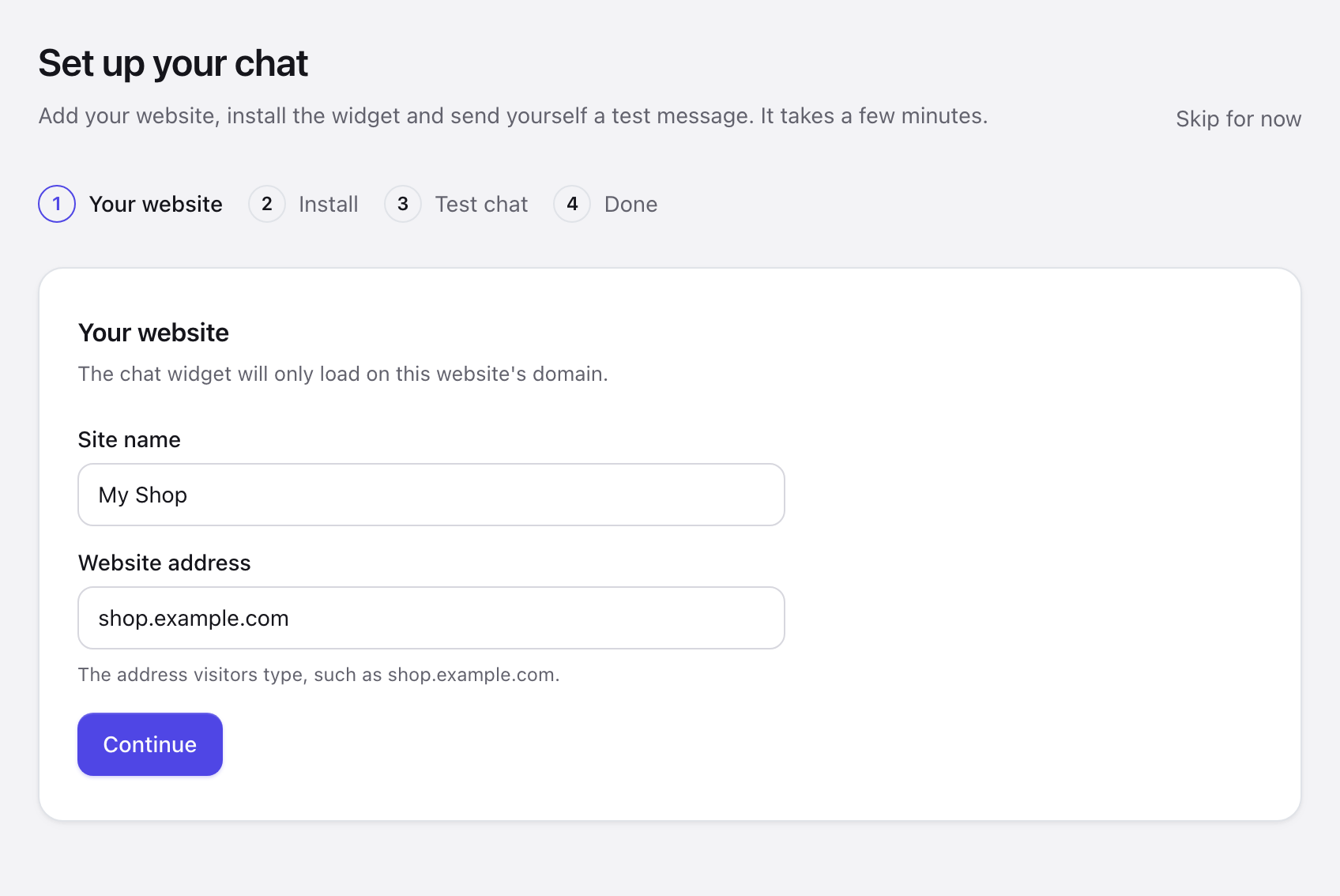
- Sign up for a free SealReply account. The console opens Set up your chat.
- Under Your website, enter a Site name and the Website address your app is deployed on, such as
app.example.com, and click Continue. - On Install the widget, leave Your website runs on on HTML and click Copy.
You get one line:
<script src="https://cdn.sealreply.com/widget.js" data-site-key="sk_…" async></script>
Keep the src and the data-site-key value; the next step turns them into a <Script> component. The site key isn't a secret — it's in every page's HTML anyway — so it can live in your code or in a NEXT_PUBLIC_ environment variable.
Step 2: Where does the chat script go in the App Router?
It goes in app/layout.tsx, the root layout, so every route gets it:
// app/layout.tsx
import Script from "next/script";

export default function RootLayout({ children }: { children: React.ReactNode }) {
  return (
    <html lang="en">
      <body>
        {children}
        <Script
          src="https://cdn.sealreply.com/widget.js"
          data-site-key="sk_…"
          strategy="afterInteractive"
        />
      </body>
    </html>
  );
}
Two things worth knowing:
- Your
data-*attributes survive.<Script>forwards extra attributes onto the script element it creates, which matters because widgets read their key fromdocument.currentScript.dataset. In the rendered page the tag carriesdata-site-keyand isasync. The Next.js guide to loading scripts documents this under "Additional Attributes". - A server component is fine.
<Script>itself can live in a server component. Only theonLoad,onReadyandonErrorcallbacks require a client component ("use client"at the top of the file).
Step 2 (Pages Router): pages/_app.tsx
In the Pages Router the script goes in pages/_app.tsx, which wraps every page:
// pages/_app.tsx
import type { AppProps } from "next/app";
import Script from "next/script";

export default function App({ Component, pageProps }: AppProps) {
  return (
    <>
      <Component {...pageProps} />
      <Script
        src="https://cdn.sealreply.com/widget.js"
        data-site-key="sk_…"
        strategy="afterInteractive"
      />
    </>
  );
}
Not in _document
Don't put it in pages/_document.tsx. That file renders on the server only, and next/script there is meant for the beforeInteractive strategy — which a chat widget shouldn't use.
Step 3: Which strategy should a chat widget use?
Use afterInteractive if you want the chat button up quickly, or lazyOnload if your performance score matters more. The next/script API reference describes all four strategies:
| strategy | When it loads | Good for |
|---|---|---|
beforeInteractive |
Before any Next.js code | Bot detection, cookie consent. Root layout only; not for chat |
afterInteractive (default) |
After some hydration has happened | Analytics, tag managers — and chat, if you want the button up early |
lazyOnload |
During browser idle time | What the Next.js docs list for chat support plugins |
worker (experimental) |
In a web worker | Not for chat: it doesn't work with the App Router yet, and the widget needs the page's DOM |
lazyOnload is kindest to your Lighthouse score, at the cost of the chat button appearing a beat later. afterInteractive gets the button up sooner, which suits landing and pricing pages where a question can arrive at any moment. SealReply's widget is about 38 KB and loads asynchronously, so neither strategy holds up your content.
Measure, don't guess
Run PageSpeed Insights on the same page once with each strategy and compare LCP and TBT. Deploy each version to the same URL so nothing else changes between the runs.
Step 4: Check that it works
Deploy, open your live site and look for the chat button in the corner. The first visit to your home page also verifies your domain, which the widget needs before it shows anywhere.
Then open the browser console and run:
document.querySelectorAll('script[src*="widget.js"]').length; // 1
window.SealReply?.version; // the widget's version
You want exactly one tag and a version string. Click through a few pages with <Link> and run the first line again: it should still be 1. Finally, send yourself a message from the widget and answer it in the console, so you know both ends work.
Does the widget load again on client-side navigation?
No. A client-side navigation doesn't reload the document, so the script doesn't run again — which is exactly what you want. The Next.js docs say a script in the root layout "will only load once, even if a user navigates between multiple pages". On a Next.js 16.4.6 production build, going from the home page to /pricing through <Link> and then pressing the browser's back button:
- there is still exactly one
widget.jstag on the page, and the widget initialises once; - the chat button stays put — no flicker, no reload;
- the widget's record of the visit reads
/→/pricing→/, back button included.
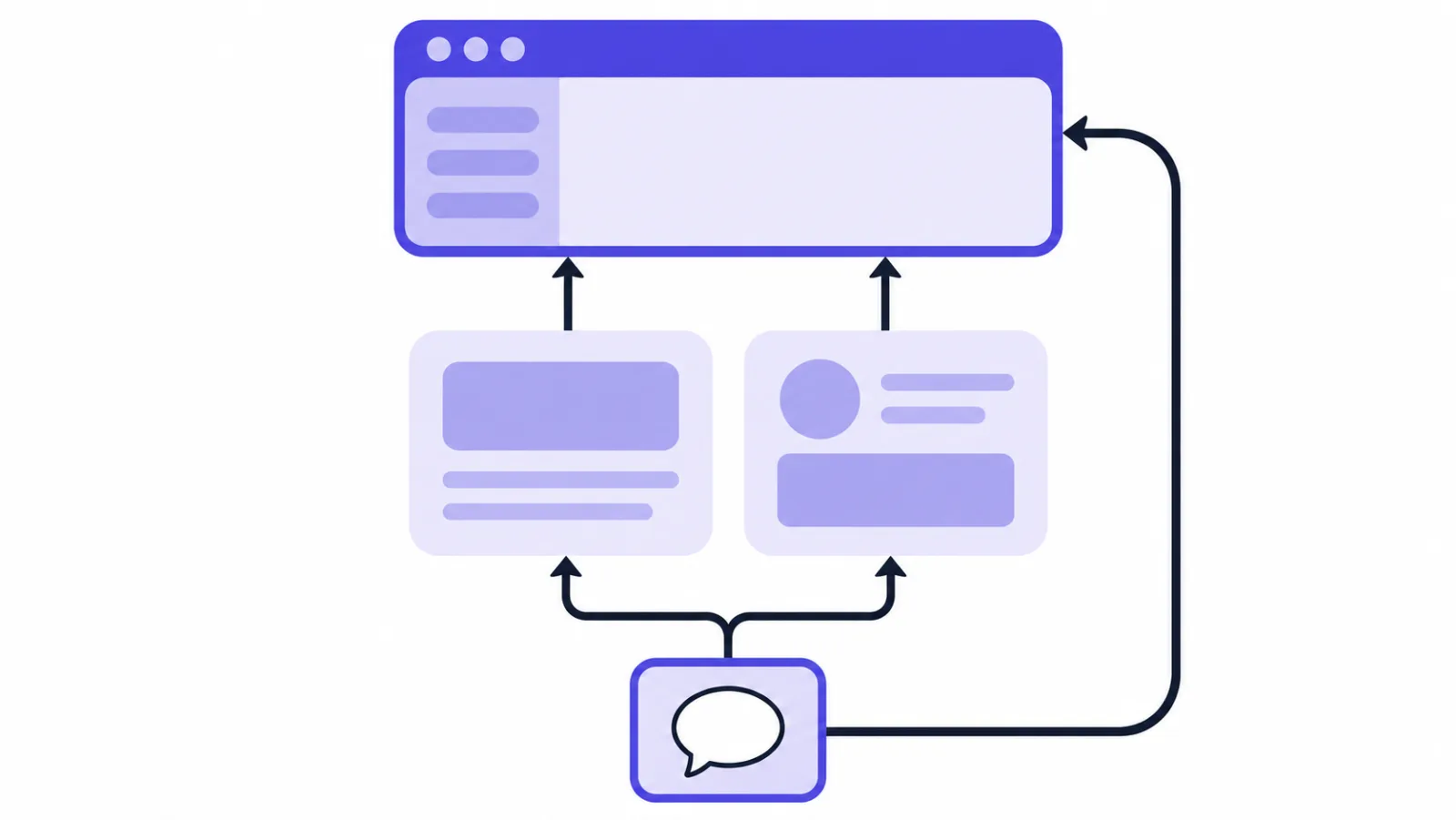
That last point deserves a note. A widget that handles single-page apps properly wraps history.pushState and replaceState and listens for popstate and hashchange, so the "current page" your agents see follows the route rather than freezing on whatever page the visitor landed on. Per-page greetings and invitations follow the route the same way. Worth testing while you're choosing a tool — plenty of widgets report the page once per document load and never again.
Incidentally, even if you declare <Script> inside a single page rather than the root layout, a given src runs once per document load: navigate to that route twice and a counter inside the script still reads 1. In development, React Strict Mode mounts components twice, and there is still only one script tag.
How do you open the chat from your own button?
Add data-launcher="none" to the embed and call window.SealReply.open() from a client component:
"use client";

export function ContactButton() {
  return (
    <button type="button" onClick={() => window.SealReply?.open()}>
      Chat with us
    </button>
  );
}
With data-launcher="none" no button appears in the corner and no invitation bubble pops up; the chat opens only when your code calls open(). The same approach on a plain HTML site, turning a nav link into a launcher, and building your own unread dot once the default button is gone are covered in opening live chat from a custom button. The script is async, so it may not be there when someone clicks early — optional chaining is all the guard you need. If you want to do something the moment it is ready, such as counting replies, wait for its ready event:
"use client";
import { useEffect, useState } from "react";

export function ChatButton() {
  const [unread, setUnread] = useState(0);

  useEffect(() => {
    const onMessage = () => setUnread((n) => n + 1);
    const subscribe = () => window.SealReply?.on("message", onMessage);
    if (window.SealReply) subscribe();
    else window.addEventListener("sealreply:ready", subscribe, { once: true });
    return () => {
      window.removeEventListener("sealreply:ready", subscribe);
      window.SealReply?.off("message", onMessage);
    };
  }, []);

  return (
    <button type="button" onClick={() => window.SealReply?.open()}>
      Chat with us{unread > 0 ? ` (${unread})` : ""}
    </button>
  );
}
In a TypeScript project, one declaration file types window.SealReply:
// types/sealreply.d.ts
export type SealReplyMessage = {
  id: string;
  text: string | null;
  content_type: string;
  created_at: string;
};

declare global {
  interface Window {
    SealReply?: {
      open(): void;
      close(): void;
      on(event: "ready" | "open" | "close" | "message", handler: (data?: SealReplyMessage) => void): void;
      off(event: "ready" | "open" | "close" | "message", handler: (data?: SealReplyMessage) => void): void;
      identify(identity: { external_id: string; identity_hash: string; name?: string; email?: string }): void;
      reset(): void;
      version: string;
    };
  }
}
How do you keep the chat off some routes?
Use a page rule: Sites → your site → Page rules → Pages without the chat. It needs no code, and it works in a single-page app. The widget checks the rules again on every client-side navigation: when a visitor moves into an excluded route, the chat closes and the button disappears; when they leave it, the button comes back. Path starts with /app covers a whole dashboard, and Path is /checkout covers one page. Up to 20 rules per site.
You can also keep the script out of part of your app in code, by putting <Script> in a route-group layout such as app/(marketing)/layout.tsx instead of the root layout. That stops the script from loading for visitors who arrive on, say, your dashboard.
Unmounting doesn't unload
Once the script has run, removing <Script> from the tree doesn't remove the widget: Next.js doesn't unload a script that has already executed. A visitor who lands on a marketing page and then navigates into /app keeps the widget, so pair a route-group layout with a page rule if those routes must stay clean.
How do you show signed-in users by name?
Call SealReply.identify() once the user is signed in, with a signature computed on your server:
window.SealReply?.identify({
  external_id: user.id,
  identity_hash: hashFromServer, // HMAC-SHA256, computed on your server
  name: user.name,
  email: user.email,
});
First turn on Visitor identity verification for the site and copy the secret; it's shown once. Compute the signature on the server only — a route handler (app/api/.../route.ts) or a server component, with the secret in an environment variable without the NEXT_PUBLIC_ prefix, so it never reaches the browser. The widget reloads as that user, and agents see them marked as verified. Call SealReply.reset() when they sign out. The full recipe, with code in four languages, is in the widget documentation.
What if the chat doesn't show up?
Most problems come from touching window on the server, testing on localhost, or a Content Security Policy:
| Problem | Cause and fix |
|---|---|
ReferenceError: window is not defined |
You touched window in a server component or during render. Use it in event handlers or useEffect, in a "use client" component. |
| No chat button on localhost | The widget only shows on the site's allowed domains and their subdomains, and localhost can't be added. Test on your deployed site, or on a staging subdomain such as staging.example.com. The main domain has to be verified first: open your live home page once with the code deployed. |
| Two chat buttons | The same script is declared twice — say, once in the root layout and once in a page, with different strategies. Keep one. |
| Nothing loads after you add a CSP | Allow script-src https://cdn.sealreply.com, connect-src https://api.sealreply.com wss://rt.sealreply.com and img-src https://api.sealreply.com. With a nonce-based CSP, pass the nonce to <Script> as well; see the Next.js Content Security Policy guide. |
| You want it to load only on click | Render <Script> behind a piece of state and flip it from your own button; next/script inserts the tag at that point. |
FAQ
Where do I put a chat widget script in Next.js?
Put it in the root layout, app/layout.tsx, in the App Router, or in pages/_app.tsx in the Pages Router, using the <Script> component from next/script. Declared there once, it loads on every route and doesn't run again on client-side navigation.
Should a chat widget use afterInteractive or lazyOnload?
Either works; it depends on what you care about more. afterInteractive shows the chat button soon after the page becomes interactive, while lazyOnload waits for browser idle time and is easier on your performance score. The Next.js docs list chat support plugins as an example for lazyOnload.
Why does calling window.SealReply give "window is not defined"?
Because the code ran on the server, where there is no window. Move the call into a "use client" component and run it in an event handler or useEffect, which only run in the browser.
Can I test the chat widget on localhost?
No, the widget only loads on the site's allowed domains, and localhost and IP addresses can't be added to that list. Test on a deployed preview at a subdomain of your verified domain, such as staging.example.com, or on the live site.
Will my global CSS or Tailwind styles break the chat widget?
No. The widget renders inside a Shadow DOM, so your page's CSS doesn't reach it and its CSS doesn't leak into your app. You set its colour, position and launcher under Look in the console instead.
Is it safe to put the site key in my Next.js code?
Yes. The site key ends up in every page's HTML anyway, and the widget only shows on the domains you allowed for the site, so someone who copies it to their own site gets no chat. The value that must stay private is the identity verification secret, which belongs in a server-only environment variable.
Next steps
Once the widget is live, wire what happens in it into the rest of your stack: verify the webhook signature so you know the request really came from us, then follow send live chat notifications to Slack, Telegram, Feishu and DingTalk to push new questions into wherever your team already is. Webhooks come with Starter and above.
The same SealReply.on("open", …) handler is what feeds your analytics: how to track live chat conversions in Google Analytics 4 shows where to attach it in a single-page app so your events don't multiply on every route change.
Still choosing a tool? Start with how to add live chat to your website. Already installed? Getting started with SealReply covers answering and following up.