 SealReply
Identify Logged-In Users in Live Chat (and Stop Impersonation)
Passing a user ID to your chat widget lets anyone edit it in DevTools and chat as your best customer. Here is the signed version, with Node and PHP code.
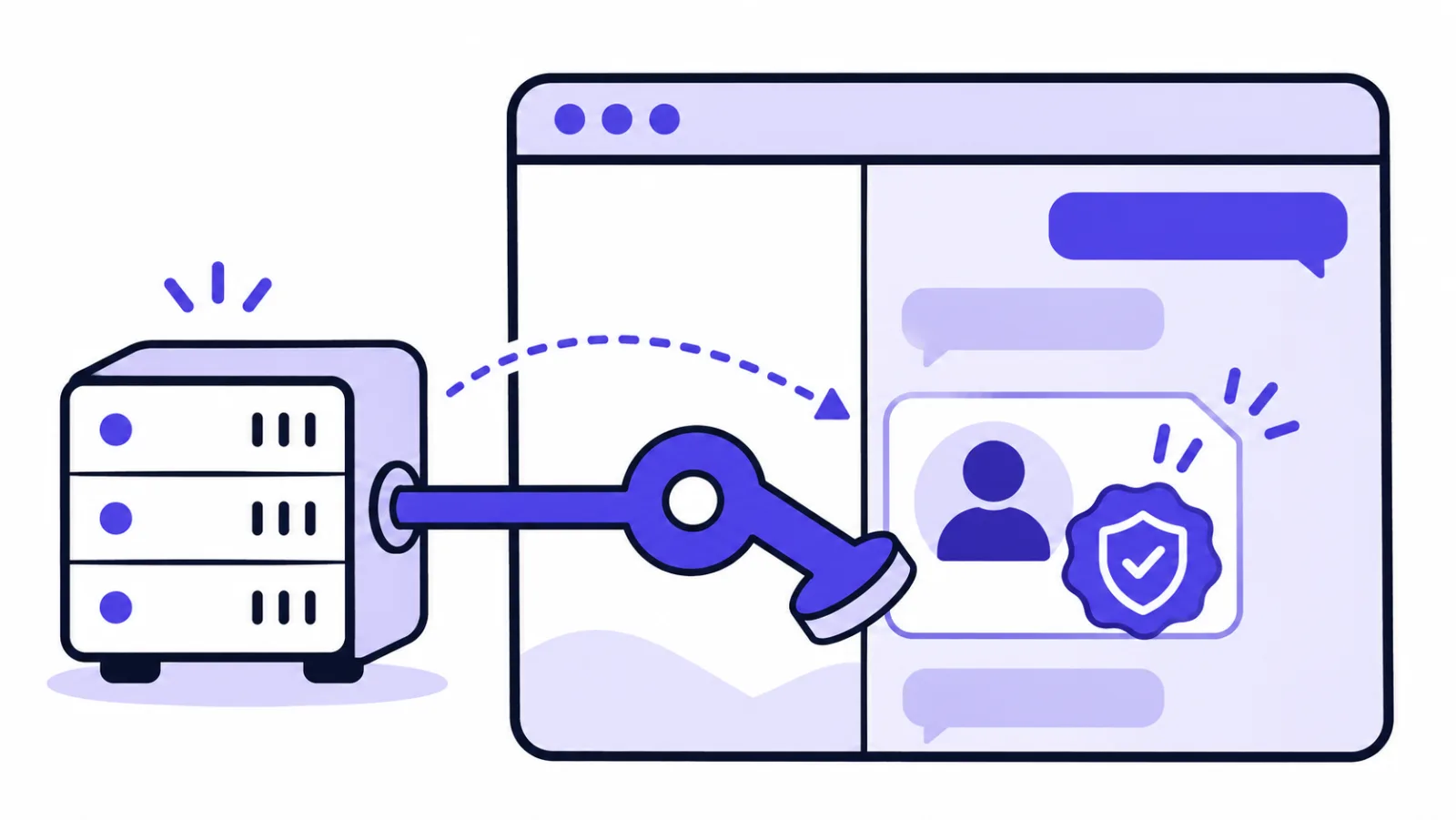
To identify logged-in users in live chat, turn on visitor identity verification, sign each user's ID on your server with HMAC-SHA256, and pass the ID and its signature to the chat widget. Agents then see a verified customer by name on every device, and anyone who edits the ID in their browser is treated as an anonymous visitor.
Key takeaways
- A plain user ID on the page can be edited in DevTools, so on its own it lets anyone pose as your customers.
- SealReply checks an HMAC-SHA256 signature of the user ID, made on your server with a secret that starts with
ids_. - Sign an ID that never changes, such as a primary key, never an email address.
- A missing or wrong signature never breaks the chat: the visitor simply stays anonymous, so test with a real account after you ship.
- It works on every plan; only the workspace owner and admins can generate the secret.
The middle step is the whole point: the signature has to be made on your server. Below: why a bare user ID is not enough, the three steps with Node and PHP code, what your agents actually see, and the short list of reasons a correct-looking setup silently does nothing.
What goes wrong when you just pass a user ID?
A bare user ID lets anyone pretend to be anyone. Say your app has accounts, and you want agents to know which customer they are talking to. The tempting version:
<!-- Don't do this -->
<script>
  window.chatUser = { id: "10231", name: "Dana Ellis", plan: "Enterprise" };
</script>
Anything on the page can be edited by the person looking at it. Open DevTools, swap 10231 for someone else's account number, set plan to Enterprise, reload. Whatever your agent sees is now whatever the visitor typed. Two real problems follow:
Impersonation. Someone opens a chat as one of your customers and asks the kind of question agents answer without thinking: "can you remind me of the shipping address on my last order?", "please change the phone number on the account". The agent sees a signed-in customer, so they answer. Account IDs are rarely secret — they show up in invoices, order pages and support screenshots.
Reading someone else's chat history. One of the benefits of signing users in is that they can reopen their past conversations. If identity is just a plain ID on the page, that ID becomes the key to another person's chat history.
Security people call this pattern an insecure direct object reference: the app trusts an identifier the visitor controls instead of checking that the visitor is allowed to use it (OWASP's cheat sheet has the general version).
A signature fixes exactly this. The ID stays public and readable; only your server can produce the string that goes with it. Change the ID and the pair stops matching.
How does identifying logged-in users work?
Visitor identity verification is a SealReply site setting that lets the widget trust a user ID only when it arrives with a signature made by your own server. Three parts are involved:
- A secret. A random string only your server and SealReply know. You generate it in your site settings, and it is stored encrypted.
- Your server. It already knows who is signed in, so it signs that user's ID with the secret.
- The widget. It carries the ID and the signature along. SealReply recomputes the signature with the same secret and compares. Match, and the visitor is verified; no match, and they are simply an anonymous visitor.
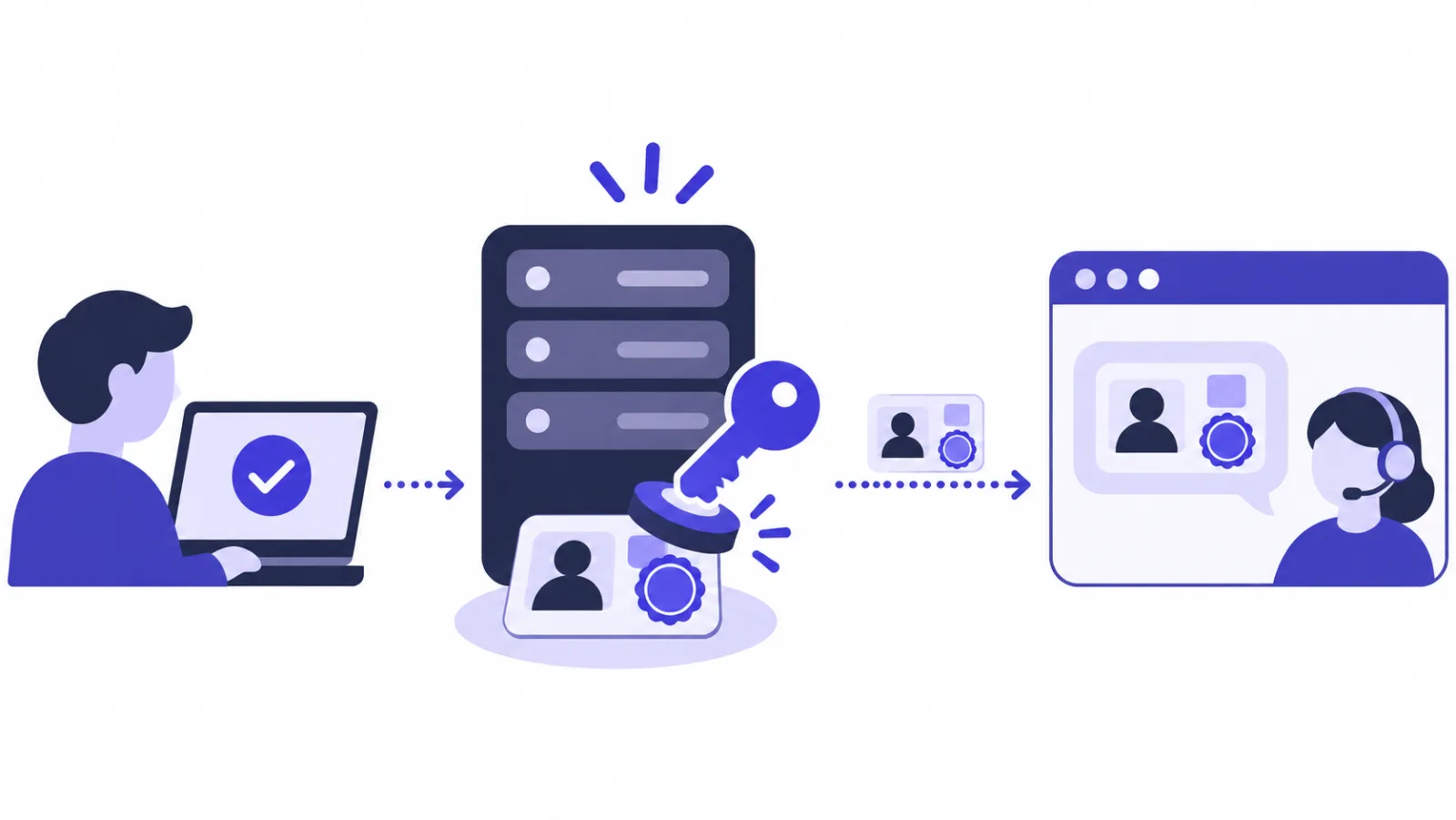
The algorithm is HMAC-SHA256, a keyed hash defined in RFC 2104: the same secret and the same text always give the same 64-character result, and without the secret nobody can produce a matching one. It is the same primitive you use for incoming webhooks, pointed the other way: with webhook signature verification you check a signature someone else made, here you make one for your own users.
Step 1: Turn it on and copy the secret
The secret comes from your site settings and is shown exactly once. In the console, open Sites, pick your website and find the Identity section (its card is titled Visitor identity verification):
- Click Turn on.
- Copy the secret (it starts with
ids_). It is shown once and never again. - Treat it like a password: environment variable on your server, never in the repo, never in anything the browser downloads.
Who can turn it on
Visitor identity verification works on every plan, including the free one. Only the workspace owner and admins see Turn on and Generate new secret; agents do not.
If the widget is not on your site yet, start with how to add live chat to your website.
The examples below assume the secret is in SEALREPLY_IDENTITY_SECRET.
Step 2: Sign the user ID on your server
Your server signs the user's ID, and nothing else. What you sign is the user's ID in your own system. The result is hex:
// Node.js
import { createHmac } from "node:crypto";

const identityHash = createHmac("sha256", process.env.SEALREPLY_IDENTITY_SECRET)
  .update(String(user.id))
  .digest("hex");
<?php
// PHP
$identityHash = hash_hmac('sha256', (string) $user->id, getenv('SEALREPLY_IDENTITY_SECRET'));
Python and Go are in the widget documentation and work identically — the same secret and the same user ID produce the same 64-character hex string in every language.
Never sign in the browser
If identity_hash is calculated in frontend JavaScript, the secret has to be in that JavaScript, and anyone can read it and sign any ID they like. Compute it in your backend and only print the result into the page.
Which ID should you sign? Something immutable in your database: a primary key or a UUID, not an email address or phone number. When a customer changes their email, a signature over the email changes too, SealReply treats them as a different person, and their history stops following them.
The ID can be up to 128 characters and is compared exactly as you signed it — no trimming, no case folding. Sign and send the identical string: "42" and " 42" are two different people.
Step 3: Hand it to the widget
The widget needs the ID and the signature before it starts. On pages where the user is signed in, set the identity before widget.js loads:
<script>
  window.sealreplySettings = {
    identity: {
      external_id: "10231",             // the user's ID in your app
      identity_hash: "<from your server>",
      name: "Dana Ellis",               // optional, shown to agents
      email: "dana@example.com",        // optional
    },
  };
</script>
<script src="https://cdn.sealreply.com/widget.js" data-site-key="sk_…" async></script>
Both values come from your server-side template — Blade, ERB, Django templates, a React server component, whatever you use. Never compute them in the browser.
In a single-page app there is no full page load, so call this once the user signs in:
SealReply.identify({
  external_id: "10231",
  identity_hash: "<from your server>",
  name: "Dana Ellis",
  email: "dana@example.com",
});
The widget reloads as that user. On sign-out, call:
SealReply.reset();
Do not skip reset(). Once a user signs out, the browser's anonymous ID no longer opens their conversations — only a valid signature does. But without reset(), a chat started anonymously afterwards on a shared computer gets attached to the next person who signs in there.
What do your agents see after identifying logged-in users?
Agents see a named, Verified customer with one history across devices. In the Visitor panel next to the conversation:
- The visitor is marked Verified, with the account ID you signed underneath. Nobody has to open the chat with "and which account is this for?".
- Phone, laptop, work machine: same ID, same visitor, one continuous history.
- Verified visitors can reopen their earlier chats from the widget's menu on any device. Only conversations started after their first sign-in are listed, so whatever someone did anonymously on a shared computer beforehand stays out of it.
- If you use a pre-chat form, verified visitors are not asked for a name and email again.
Because the signature is what unlocks that history, treat identity_hash like a password too: never in a URL, never on a page other people can see. What happens to the messages themselves is covered in is your live chat private.
Which fields are verified, and which are not?
Only external_id is signed. name and email are not: they fill in a visitor's details when nothing is noted yet, they never overwrite what an agent typed, and you should read them as "what the page claimed".
| Field | Signed? | What it does |
|---|---|---|
external_id |
Yes, by identity_hash |
Ties the visitor to one person across devices and unlocks their chat history |
name, email |
No | Fill in empty visitor details; never overwrite what an agent typed |
attributes |
Yes, by attributes_hash |
Replace the member details shown to agents (plan, orders, spend) |
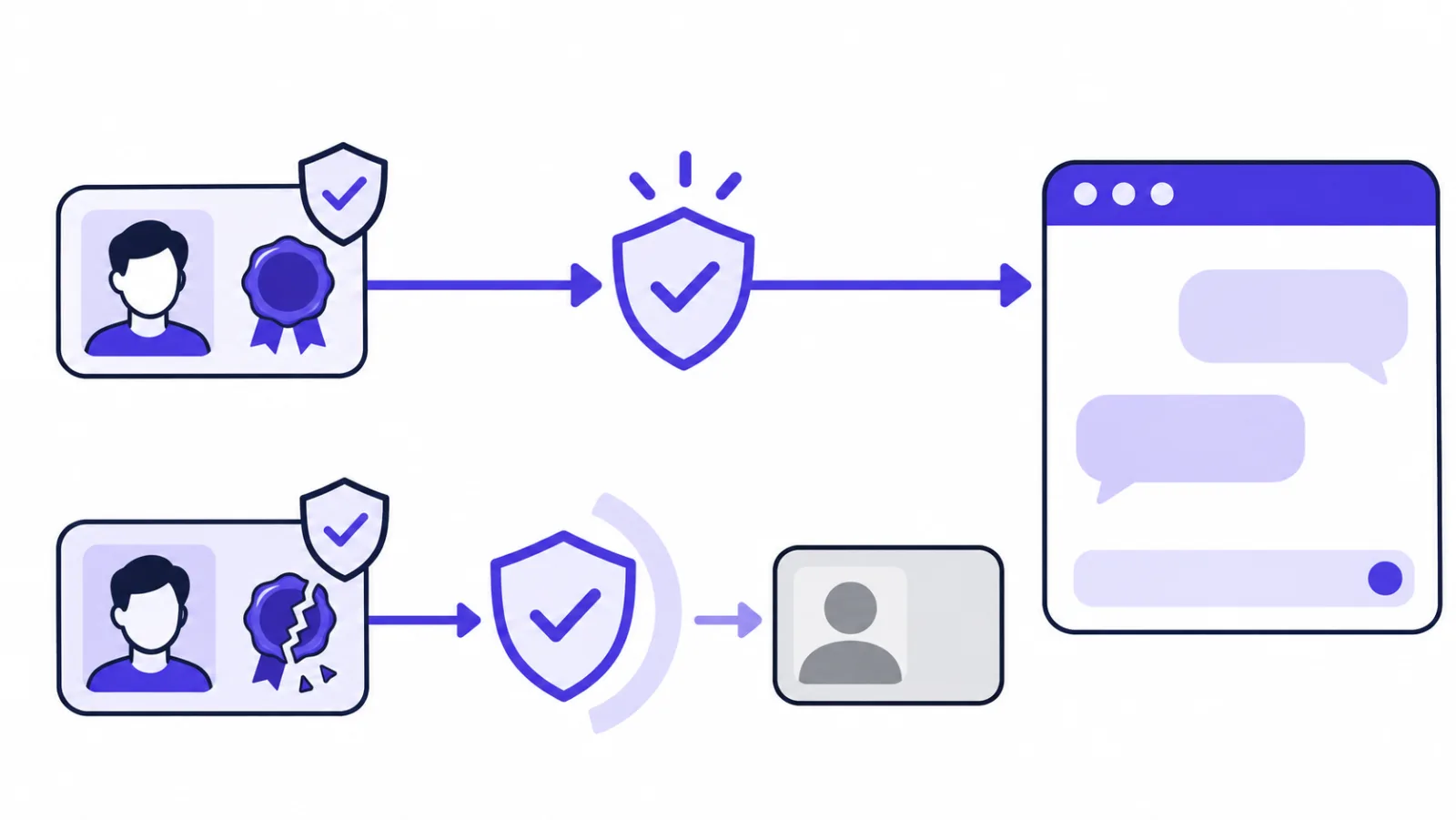
A missing signature, a wrong signature, or verification switched off does not throw an error or hide the widget. The visitor is simply anonymous and the chat works as usual. That is deliberate: a broken template should cost you a name in the sidebar, not the chat on your website.
Test it like a customer
Nothing tells you when verification fails. After you ship, sign in to your site with a real account, open the chat, send a message, and check that the Visitor panel in the console says Verified.
Can you pass plan, orders and spend too?
Yes: the same secret also signs member details. The same mechanism carries member details — plan, number of orders, lifetime value — into the Visitor panel, so agents stop switching tabs to look them up. These are signed as well, otherwise a visitor could promote themselves to Enterprise from the console.
The message you sign is the user ID, then one key=value line per attribute sorted by key, joined with newlines. For user 42 with plan=Gold and orders=12, you sign these three lines:
42
orders=12
plan=Gold
// Node.js
const attributes = { plan: "Gold", orders: "12" };
const message = [String(user.id), ...Object.keys(attributes).sort().map((k) => `${k}=${attributes[k]}`)].join("\n");
const attributesHash = createHmac("sha256", process.env.SEALREPLY_IDENTITY_SECRET).update(message).digest("hex");
<?php
// PHP
$attributes = ['plan' => 'Gold', 'orders' => '12'];
ksort($attributes, SORT_STRING);
$lines = [(string) $user->id];
foreach ($attributes as $k => $v) { $lines[] = "$k=$v"; }
$attributesHash = hash_hmac('sha256', implode("\n", $lines), getenv('SEALREPLY_IDENTITY_SECRET'));
Send them with the identity:
window.sealreplySettings = {
  identity: {
    external_id: "42",
    identity_hash: "<signature of the user ID>",
    attributes: { plan: "Gold", orders: "12" },
    attributes_hash: "<signature of the attributes>",
  },
};
Limits: at most 30 attributes, keys up to 40 characters, values up to 200, no line breaks, and no = in a key. Keep keys to ASCII letters, digits and underscores such as total_spent, so every language's default sort produces the same order — mismatched sort order is the most common mistake here. Values can be any text.
With a valid signature the attributes replace the visitor's member details as a whole; with a wrong one the whole set is ignored and identification carries on as normal.
How do you look after the secret?
Keep it on the server and rotate it the moment it might have leaked; the OWASP Secrets Management Cheat Sheet is a good general reference.
- Server side only: environment variable or a secret manager. Not in the repo, not in a frontend bundle, not in a mobile app.
- Signatures never expire. If one may have leaked, the only remedy is Generate new secret in the site settings, which retires the old one.
Rotate in this order
Generate new secret takes effect immediately. Put the new secret on your server first (deploy, restart), then click it in the console. Done the other way round, every signed-in user drops back to anonymous until your server catches up.
- Turn off makes everyone anonymous again; identities already recorded are not deleted.
Why does the visitor still show as anonymous?
Almost always one of six things, and the widget will not tell you which. Work down this table:
| What you see | Likely cause | Fix |
|---|---|---|
| Nobody is ever verified | Verification is off | The Identity section of the site settings has to say On |
| Nobody is ever verified | You signed a different string from the one in external_id |
Sign exactly that string: not the email, not "user:42", no stray spaces; cast numeric IDs to strings |
| Everyone dropped to anonymous after a deploy | Old or truncated secret on the server | Copy it in full (ids_ plus 64 hex characters, 68 in total), update the variable, restart the service |
| Works in your tests, not for real users | identity_hash computed in the browser |
The secret is already public: generate a new one and move signing to the server |
| Works only after a page reload | window.sealreplySettings set after widget.js |
Put the settings before the tag, or call SealReply.identify() |
| One user sees another user's name | Full-page CDN cache served someone else's signature | Do not full-page cache pages that carry an identity |
FAQ
Is identity_hash a secret like a password?
Yes, treat it like one. Anyone holding a user's ID and its identity_hash can open that user's earlier chats from the widget, and signatures never expire. Never put it in a URL, a log line or a page other people can see.
Can I sign the user's email address instead of an ID?
You can, but you should not. A signature over the email changes when the customer changes their email, and SealReply then sees a new person whose history does not follow them. Sign a primary key or UUID and pass the email separately in email.
What happens if the signature is wrong or missing?
The visitor chats as an anonymous visitor, exactly as if verification were off. The widget shows no error and keeps working, which is deliberate: a broken template should cost you a name in the sidebar, not the chat. The same applies to a wrong attributes_hash: the member details are ignored and identification carries on.
Does visitor identity verification work in a mobile app?
Yes, through the full-page chat link you open from your app's "Contact us" button. Add external_id, identity_hash, name and email after the # in that link, signed on your server exactly as for the website. The app chat page needs a verified domain first, and the secret must never be built into the app.
Do I need a paid plan to identify logged-in users?
No. Visitor identity verification is available on every plan, including the free one. Only the workspace owner and admins can turn it on or generate a new secret.
How do I log the user out of the chat?
Call SealReply.reset() when the user signs out of your site. Their conversations already stop opening without a valid signature, but reset() also starts a fresh anonymous visitor, so a chat begun afterwards on a shared computer is not handed to the next person who signs in.
Where to go next?
With identity verification on, agents no longer open a conversation with "Visitor 2" — they see a name, a plan, and everything this person asked before. Pair it with lead statuses and follow-up reminders so a good chat does not end at goodbye. A signed external_id is also what lets you post orders back and see which chats were followed by a purchase — see how to track live chat conversions in Google Analytics 4. For the rest of the setup worth doing early, see getting started with SealReply.